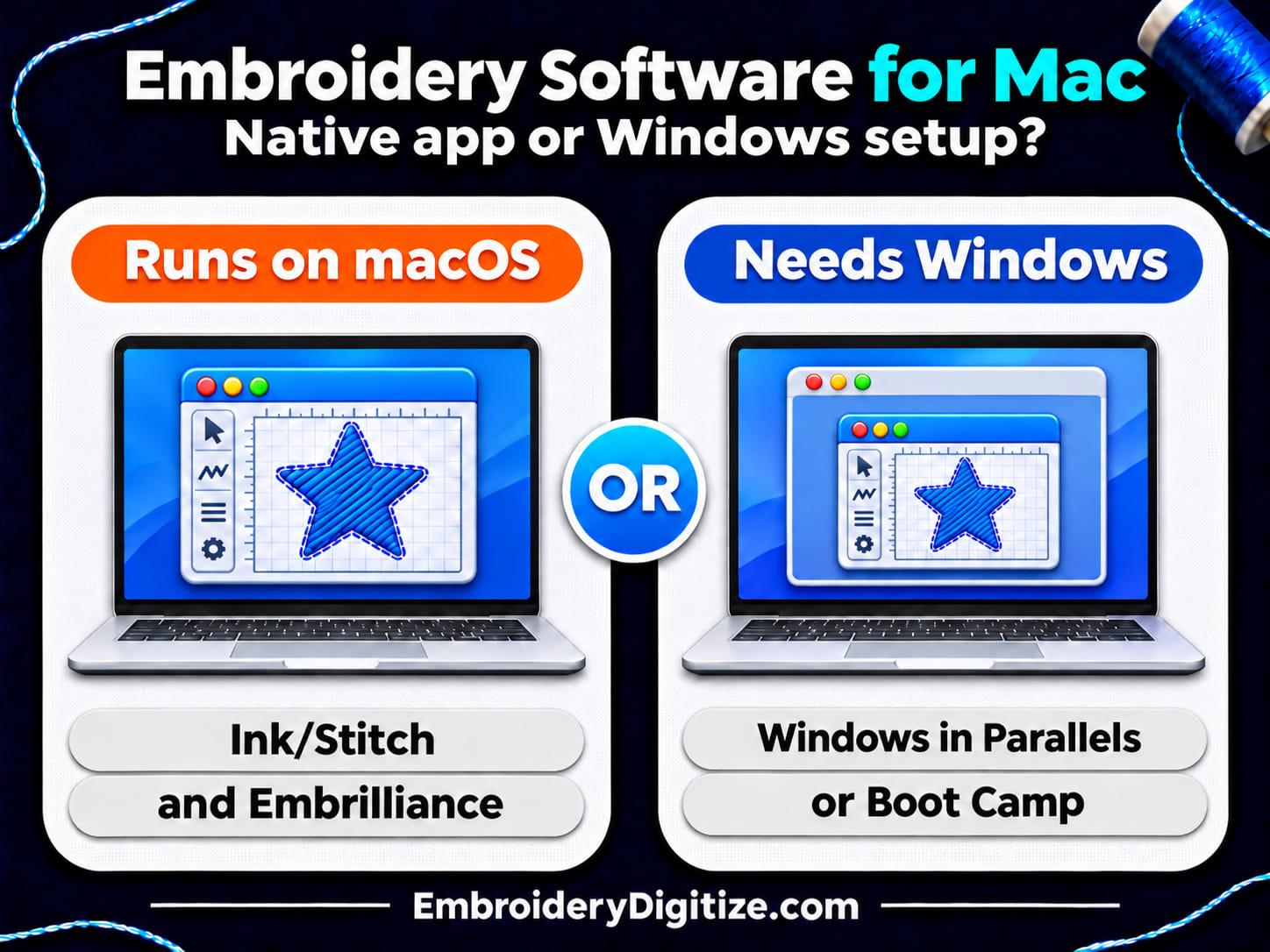
Quick answer: Of the programs we checked, Ink/Stitch and Embrilliance (whose StitchArtist creates designs from scratch) install on macOS, according to their own pages. Wilcom EmbroideryStudio, Hatch, BERNINA V9, Embird and Embroidery Legacy are Windows programs. Wilcom and Hatch support Apple silicon Macs through Parallels with Windows 11 ARM. Or skip the software and order a finished file.
If you own a Mac and want to digitize embroidery, the first question is not which program is best. It is which programs will run on your Mac at all. Several well-known embroidery programs are Windows software, and the vendors' own pages say what that means for Mac owners. This guide gathers those statements, explains the terms they use (native, Boot Camp, virtual machine) and lists what to check before you buy.
The facts come from the vendors' own help and download pages and from three Apple support pages, all opened on November 19, 2026. We did not install or test any of these programs on a Mac, the list is not complete, and vendors change their pages, so check the current page before you buy. EmbroideryDigitize sells digitizing services, and the last sections describe our free browser tools and our service.
Which Embroidery Digitizing Software Runs on a Mac?
The table lists what each vendor's own page says about Macs. Native means the program installs and runs in macOS itself instead of inside Windows.
| Program | What its own page says about Macs | Mac setup the page describes |
|---|---|---|
| Ink/Stitch | Its macOS install page says "We support macOS versions up from Monterey (12)" and offers Apple Silicon and Intel downloads. It is an Inkscape extension, so Inkscape has to be installed first. Its home page describes a project "based entirely on free, open-source software." | Native, as an Inkscape extension (Apple Silicon and Intel downloads) |
| Embrilliance (one Platform download with Essentials, StitchArtist and other products) | Its Essentials page says it "Runs Natively on MacOS and Windows". Its downloads page lists Mac installers for macOS from High Sierra (10.13) to Tahoe and says the same Platform installs Essentials, StitchArtist and other products. You add each product by registering its serial number. StitchArtist is a separate product, sold in three levels, that creates designs from scratch. Essentials offers basic tools "to view, manage, and customize their embroidery designs." Its FAQ says "Your Embrilliance license is for as many computers as you own and you can even mix Mac and Windows." | Native |
| Wilcom EmbroideryStudio | Its help article says it is "designed for Microsoft Windows and does not run natively on macOS." It says versions 2025 and 2026 can be used on an Apple silicon Mac by running Windows through Parallels Desktop. | Windows 11 ARM in Parallels (Apple silicon Macs) |
| Hatch Embroidery | Its help article says Hatch is "designed for Microsoft Windows and does not run natively on macOS." Its system requirements article says Hatch 4 "is developed for Windows operating systems." | Windows 11 ARM in Parallels (Apple silicon Macs) |
| BERNINA Embroidery Software V9 | Its system requirements list "Microsoft Windows 10 or Windows 11 (64-bit editions), with the latest updates." They say V9 "can be installed on Intel-based Mac computers using Boot Camp to run Windows 10/11 on a dedicated partition" and that using Parallels is "only supported on a limited basis." | Windows through Boot Camp (Intel-based Macs); Parallels on a limited basis |
| Embird | Its compatibility page lists Windows 11, 10, 8 and 7 and says "Embird for Windows can be used also on Mac with OS X." For that, "Either Wine, or Parallels Desktop for Mac and Windows are required in this case." | Windows through Wine or Parallels |
| Embroidery Legacy | Its help article (last updated January 19, 2026) says "As of this writing, there is no Native ELD software that runs on macOS." It names Boot Camp, Parallels Desktop for Mac and VMware Fusion as options. | Windows through Boot Camp, Parallels or VMware Fusion |
| Brother PE-DESIGN 11 | Its trial download page lists "Windows 7, 8.1, 10 (32 or 64 bit)" as the operating system and offers .exe installers. It lists no Mac version. The files are dated 2018, so check Brother's page for the version you plan to buy. | No Mac version listed on that page |
The table shows where each program runs, not what it can do, so check each vendor's page for what a program creates or edits. These pages also differ in age. The Wilcom and Hatch articles show an update three months before we read them, and the Brother page we opened dates from 2018. Treat the table as a starting point, not a buying guide.
What Do Native, Boot Camp and Virtual Machine Mean?
The vendor pages use three terms for the ways a Mac can run an embroidery program.
| Term | What it means | What the pages say |
|---|---|---|
| Native | The program installs and runs in macOS. | Embrilliance says Essentials "Runs Natively on MacOS and Windows". Wilcom and Hatch say their programs do not run natively on macOS. |
| Boot Camp | Apple's tool for installing Windows beside macOS. You pick which one starts when you restart the Mac. | Apple's guide says "You can use Boot Camp Assistant to install Windows 10 on your Intel-based Mac." Its install page says you can "switch between macOS and Windows when restarting your Mac." |
| Virtual machine | Windows runs inside macOS through virtualization software. The vendor pages name Parallels Desktop and VMware Fusion. | Hatch says its program "can be used on an Apple silicon Mac by running Windows through virtualization software such as Parallels Desktop." Embroidery Legacy says "You will need to install a Virtual Machine and the Windows Operating System on it." |
How Do You Check Whether Your Mac Has an Intel or Apple Silicon Chip?
It matters because Apple's Boot Camp pages describe an Intel-based Mac, while the Wilcom and Hatch pages are written for Macs with "an Apple M1, M2, M3, M4 or M5 processor." Apple's support page gives this check:
- Open About This Mac from the Apple menu in the corner of your screen.
- On a Mac with Apple silicon, About This Mac shows an item labeled Chip, followed by the name of the chip.
- On an Intel-based Mac, it shows an item labeled Processor, followed by the name of an Intel processor.
Apple says the move from Intel processors to Apple silicon began with "certain models introduced in late 2020," so an older Mac is likely to be Intel-based. Check the label rather than guessing from the year.
What Does Running Wilcom or Hatch on a Mac Involve?
The Wilcom and Hatch help articles are close to identical. Both call the setup "a supported workaround, but it is not a native configuration." This is what they list:
- The setup. A compatible Apple silicon Mac, the latest version of Parallels Desktop, Windows 11 ARM Edition, and the embroidery program installed inside the Windows virtual machine, not in macOS.
- Memory. For this Mac setup, both list "Minimum: 32 GB of physical RAM." They say the Standard Edition of Parallels Desktop "can assign a maximum of 8 GB of RAM to the Windows virtual machine" and is not recommended. They recommend the Pro Edition, which "supports up to 128 GB of virtual RAM per virtual machine."
- Versions. Wilcom's article names EmbroideryStudio 2026 and 2025 as the supported versions for current users.
- Trial. Hatch says "The Hatch trial is not supported when running Hatch on a Mac through Parallels Desktop." It adds that a 30-day money-back guarantee is available if the setup does not meet your expectations, and that you should review the purchase and refund terms before buying.
- Support limits. Both say their support does not cover "Installing or updating Parallels Desktop" or "Creating or configuring the Windows virtual machine."
- Testing. Wilcom adds: "Some features may not have been fully tested in a virtualized Windows environment and may behave differently than they would on a native Windows PC."
BERNINA describes a different route for Intel-based Macs: Boot Camp, with a Windows partition of "at least 85GB" and 100 GB recommended. BERNINA's page says Windows 10/11, while the Apple Boot Camp pages we opened describe installing Windows 10, so confirm the Windows version with BERNINA and Apple before you rely on that route. Apple's Boot Camp pages describe an Intel-based Mac, so check your chip first.
Which Mac Setup Fits Which Situation?
This is not a ranking. We did not test any of these programs, so the table only matches each situation to what the vendor pages describe.
| If you want to | Look at | Check first |
|---|---|---|
| Digitize on a Mac with free software | Ink/Stitch | Your macOS version against its install page, Inkscape installed and run first, and Rosetta on an Apple silicon Mac. The page says "If you have an arm processor make sure that Rosetta is installed". Our guide to free embroidery digitizing software covers its limits. |
| Digitize in a program that runs natively on a Mac, with paid levels | Embrilliance StitchArtist (the product that creates designs; Essentials works with existing ones) | Embrilliance's page describes three levels, from "Simple Projects" to "Professional Grade". Compare what each level includes and the macOS versions on its downloads page. |
| Use Wilcom EmbroideryStudio or Hatch | Parallels Desktop with Windows 11 ARM on an Apple silicon Mac | The 32 GB RAM minimum, the Parallels edition, the support limits and, for Hatch, that its trial is not supported on a Mac. |
| Use BERNINA V9 on an Intel-based Mac | Boot Camp, as BERNINA's page describes | A Windows partition of at least 85GB, and BERNINA's note that Parallels is supported only on a limited basis. |
| Get a few designs made instead of learning a program | A digitized file from a service, plus free browser tools | The format your machine reads. See our embroidery file formats guide and our comparison of in-house and outsourced digitizing. |
What Can You Do on a Mac Without Digitizing Software?
You only need digitizing software if you plan to create stitch files yourself. A digitizing service delivers the file, so the Mac needs a browser and a way to move the file to your machine. You can do four things without installing embroidery software on your Mac:
- View a file. Our free embroidery file viewer page says "It works in any modern browser on phones, tablets and computers" and that you do not need any embroidery software or an account. It shows a design's size, stitch count and thread colors and plays back the stitch order.
- Convert a file. Our free embroidery format converter page says it "converts files that are already digitized." It does not turn a JPG or a logo into stitches. Our guide to what embroidery digitizing is explains the difference.
- Edit an existing file. Our Smart Studio guide says the editor "runs entirely in your browser" and "edits existing embroidery files." It sits in the dashboard after you log in.
- Order a digitized file. Our digitizing page says you can order "as a guest or with a free account," and that your files arrive "by email and on your order page." It lists DST, PES, EXP, JEF, VP3, XXX, HUS, PXF and EMB among the formats it delivers.
If you are weighing a program against a service for a business, our guides to logo digitizing for small business and auto vs manual digitizing go through what to expect from each.
What Should You Check Before You Buy Embroidery Software for a Mac?
- Open the vendor's own page for the exact version. Wilcom's article names EmbroideryStudio 2025 and 2026, and the Brother page we opened covers PE-DESIGN 11. A page for one version may not describe another.
- Check your chip. Use About This Mac, as described above. The Boot Camp pages we opened describe Intel-based Macs, and the Wilcom and Hatch Parallels pages describe Apple silicon Macs.
- Check your memory. If you plan to use a virtual machine, compare your Mac's RAM with the vendor's minimum. Wilcom and Hatch list 32 GB for the Mac setup they describe.
- Ask what the trial covers on a Mac. Hatch says its trial is not supported through Parallels. Ask any vendor before you rely on a trial.
- Read the support scope and the refund terms. Wilcom and Hatch say they do not help with installing Parallels or setting up the Windows virtual machine.
- Confirm the formats. Make sure the program saves the format your machine reads. Our guides to PES files and DST files cover the two you will meet most.
- Decide whether you need to digitize at all. If you only need one or two designs, a service can be simpler than a new program and a new setup.
Frequently Asked Questions
Is there embroidery digitizing software that runs natively on a Mac?
Yes. Ink/Stitch says it supports macOS from Monterey (12), and Embrilliance's Essentials page says it "Runs Natively on MacOS and Windows." StitchArtist, which Embrilliance describes as a program to create machine embroidery designs from scratch, is part of the same Embrilliance Platform. Check each page for your macOS version.
Does Wilcom EmbroideryStudio run on a Mac?
Not natively. Wilcom's article says it is "designed for Microsoft Windows and does not run natively on macOS." It says versions 2025 and 2026 can be used on an Apple silicon Mac by running Windows 11 ARM Edition in Parallels Desktop, and calls that "a supported workaround, but it is not a native configuration."
Does Hatch Embroidery run on a Mac?
Not natively. Hatch's article says it is "designed for Microsoft Windows and does not run natively on macOS," and describes the same Parallels setup with Windows 11 ARM Edition for Apple silicon Macs. It also says the Hatch trial is not supported on a Mac through Parallels.
Can I use Boot Camp on a Mac with an M1 or M2 chip?
The Apple Boot Camp pages we opened describe installing Windows on an Intel-based Mac. Wilcom and Hatch describe Parallels with Windows 11 ARM Edition for Apple silicon Macs instead. Check your chip with About This Mac before you choose a route.
Is Ink/Stitch free, and does it work on a Mac?
Its home page describes the project as "based entirely on free, open-source software." Its macOS page lists Apple Silicon and Intel downloads for macOS Monterey (12) and later. Ink/Stitch is an Inkscape extension, so install and run Inkscape first.
Can I use Embrilliance Express on a Mac for free?
Embrilliance's Express page lists a Mac download and describes a free mode that lets you "type words/names using .BX fonts" and open and save .BE files into machine formats. It does not describe Express as a way to digitize a logo. StitchArtist is the Embrilliance program for creating designs from scratch.
Does Brother PE-DESIGN run on a Mac?
The PE-DESIGN 11 trial page we opened lists Windows 7, 8.1 and 10 and offers .exe installers. It lists no Mac version, and it is dated 2018. Check Brother's current page for the version you plan to buy.
Can my Mac show thumbnails of embroidery files?
Embrilliance sells Thumbnailer, which "requires a serial number." Its download page says the current Mac version uses an Extension, "Apple's new technology for file previews," and that ".EXP files cannot be shown as thumbnails" on macOS. Our free embroidery file viewer opens a design in your browser instead.
How do I get a design from my Mac onto my embroidery machine?
Check your machine's manual for the media and format it reads. Embrilliance says Essentials includes "special features to enable Mac users to write USB devices and floppy disks for use with embroidery machines." If you order a digitized file, ask for your machine's format. Our PES vs DST vs JEF comparison explains the common ones.
Do I need digitizing software if I order a digitized file?
No. Our digitizing page says your files arrive by email and on your order page. You need a way to view the file and copy it to your machine. If you want to learn digitizing later, our guide to digitizing a logo for embroidery walks through the steps.
Which embroidery software is best for a Mac?
We cannot rank them. We did not test any program, and the pages we read describe requirements, not results. For creating designs on macOS itself, the pages describe the free Ink/Stitch and Embrilliance's paid StitchArtist. For Wilcom or Hatch, they describe the Parallels setup above. This list covers eight programs whose own pages we could open, and other programs exist. Choose by what you need to make, the formats your machine reads and the setup you are willing to run.
Final Thoughts
A Mac narrows the choice before quality, price or features come into it. The vendor pages describe three situations: programs that install on macOS, Windows programs that Wilcom and Hatch support on Apple silicon Macs through Parallels with Windows 11 ARM and stated limits, and Windows programs that describe Boot Camp for Intel-based Macs. Which one applies depends on your chip, your memory and the program.
If you only need a few designs, you can skip all of it. A digitizing service delivers the stitch file, and a browser can be enough to download, view and convert it. How you move it to your machine depends on the machine's connection and transfer method. Whichever way you go, ask for the format your machine reads and stitch a sample before you commit to a run. Our guide to what embroidery digitizing is explains what the work involves.
Sources and Further Reading
Facts about Mac support come from the pages below, which we opened on November 19, 2026. This guide is a documentation-based explainer, not a report of independent testing on a Mac. Version numbers, supported systems and policies can change, so check each page before you buy. Ink/Stitch, Embrilliance, Wilcom, Hatch, BERNINA, Embird, Embroidery Legacy, Brother, Apple and Parallels are names of their respective owners. EmbroideryDigitize is not affiliated with them, and the names appear only to show where each fact comes from.
- Ink/Stitch home page and Install Ink/Stitch on macOS.
- Embrilliance: Downloads / Updates, Embrilliance Essentials, StitchArtist, Embrilliance Express and FAQ.
- Wilcom: Does ES support Windows on Mac with Apple M-Series chip using Parallels Desktop (Wilcom help).
- Hatch: Will Hatch Embroidery run on a MAC computer? and What are the System Requirements for Hatch Embroidery Software? (Hatch help).
- System requirements (BERNINA V9 help).
- Embird Compatibility and How to Use Embroidery Legacy Software on a Mac (Embroidery Legacy help).
- PE-DESIGN 11 Trial Version (Brother software download page).
- Apple Support: Mac computers with Apple silicon, Get started with Boot Camp Assistant and Install Windows 10 on your Mac with Boot Camp Assistant.
- Related on embroiderydigitize.com: our embroidery digitizing page, file viewer, format converter and the guide to embroidery digitizing services.
Need a Logo or Image Digitized?
Turn your logo, artwork, or custom design into a production-ready embroidery file.
Create your free EmbroideryDigitize account and submit your artwork, required size, garment type, and preferred embroidery format, such as PES or DST.
Existing customer? Login here.
If you already have an embroidery file but need another machine format, use our Free Embroidery Format Converter to convert supported embroidery files online.