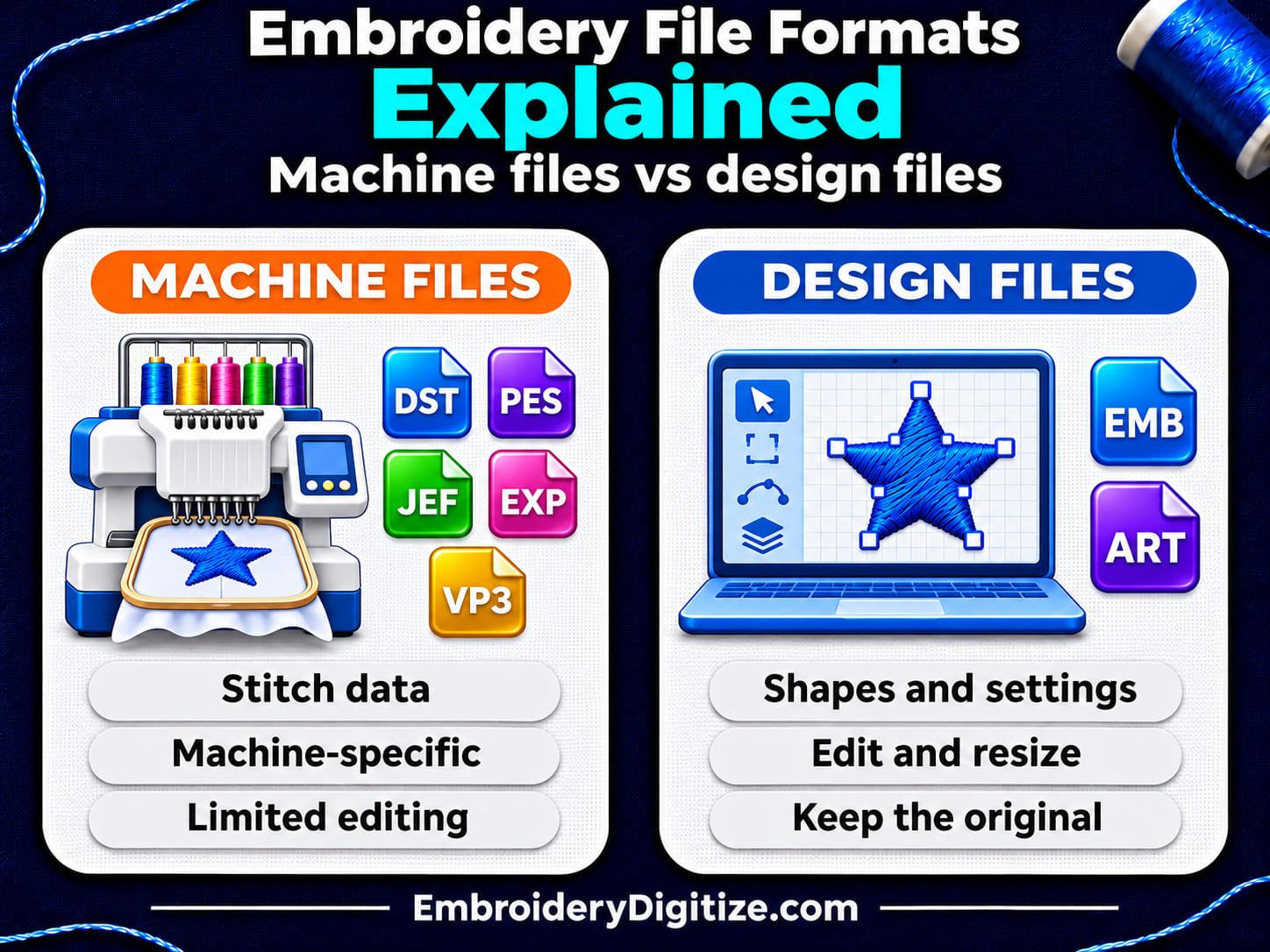
Quick answer: Embroidery file formats fall into two groups. Machine (stitch) files such as DST, PES, JEF, EXP and VP3 hold stitches and machine commands for specific machines. Design files such as EMB and ART also keep shapes and settings for editing. Use the format your machine manual lists, and keep the editable original.
If you searched for "embroidery file formats" or "embroidery file types," you probably have a file your machine will not read, or you are about to order a design and need to name a format. This guide explains the two kinds of embroidery file, shows which formats each machine brand uses, lists the common machine formats, covers which formats keep thread colors, and gives you a checklist for choosing and troubleshooting.
The facts come from Wilcom and BERNINA software documentation, Brother's support pages, and an independent technical wiki, all linked where they are used and listed at the end. We have not stitched a test file in every format, and support differs by machine model, so your machine manual has the last word.
What Are Embroidery File Formats?
An embroidery file format is the way a design is stored in a file. You can see it in the extension at the end of the file name, such as .dst or .pes. The format decides what the file holds and which machine or program can read it.
There are many formats because machines do not share one language. Wilcom's EmbroideryStudio 27 documentation says: "Different embroidery machines understand different languages. Each has its own control commands for the various machine functions." Before you can stitch a design, it has to be in a format the machine can interpret. The supported machine file formats table in that help lists 39 entries (our count). That is one program's list, not every format in use, so you will not meet them all.
Which Embroidery File Format Does My Machine Use?
Start with your machine's manual or the maker's support page. This table is a guide to brand families, not a promise about any one model. It combines Wilcom's machine format list, the list in BERNINA's V8 software lesson, and Brother's support pages.
| Machine brand | Formats to look for | Notes |
|---|---|---|
| Brother, Babylock, Deco | PES (Wilcom and BERNINA also list PEC) | Brother's US support pages (one, two) list .pes, .dst and .phc, plus .pen from iBroidery, as readable on the machines they cover. The two pages we read do not list .pec. A further format, .phx, works only on the models Brother names |
| Janome, Elna, Kenmore | JEF, SEW | BERNINA's list shows EMD for Elna Xpressive |
| BERNINA | EXP; ART on some models | BERNINA's help calls EXP the native machine format its software exports. Its V8 lesson says some models, such as the artista 200 and 730, also take ART V4 files from a USB stick |
| Husqvarna Viking, Pfaff | VP3, VIP, HUS, SHV; Pfaff also PCS, PCD, PCQ | BERNINA's lesson says there are several extensions for Husqvarna and Pfaff and the manual tells you which one |
| Singer | XXX; CSD for Singer EU, Poem, Huskygram | From BERNINA's list |
| Melco | EXP | BERNINA's list shows .EXP for Melco commercial machines, the same as for BERNINA. Wilcom labels its EXP format "Melco / BERNINA USB Stick." The same extension does not guarantee that every Melco or BERNINA model accepts the same file |
| Tajima | DST; TBF for needle addressing | From Wilcom's lists |
| Barudan | DSB, U?? | From Wilcom's list |
| ZSK | DSZ | From Wilcom's list. Wilcom also lists Z?? files for ZSK machines that use transport code disks |
If your machine is not in the table, BERNINA's lesson gives the same advice we do: check the manual, ask your dealer, or search for your model. Brother also warns that using data other than its listed formats "may cause the embroidery machine to malfunction," so stay with the formats your model names.
What Is the Difference Between Machine Files and Design Files?
Wilcom's help says embroidery designs are saved in one of two kinds of format: "design" (outline) or "machine" (stitch). BERNINA's Embroidery Software 9 help describes the same two categories.
| Question | Machine (stitch) file | Design (outline) file |
|---|---|---|
| What does it hold? | Stitch coordinates and machine functions such as color changes and trims | Digitized shapes and lines, stitch types and settings, plus stitch data |
| Who reads it? | The embroidery machine; each machine family has its own formats | Embroidery software |
| How well can you edit it? | Limited. Wilcom's software shows a machine file as blocks of stitches, without the original outlines or stitch types | Wilcom says design files can be scaled, transformed and reshaped without affecting stitch density or quality. Still sew a test after a big resize |
| Examples | DST, PES, JEF, EXP, VP3 | EMB (Wilcom), ART (BERNINA), JAN (Janome software), CND (Melco) |
| Best for | Sending to a machine or a shop | Keeping the original and editing later |
BERNINA's help puts the practical side simply: "Design files are ones you open and modify in the software. Machine files are generally those you send to machine for production."
Some formats do both jobs. Wilcom says its own EMB format "combines the advantages of design files and machine files" by storing outlines, stitches and thread colors together. EduTech Wiki, an independent technical reference, notes that many formats mix both levels, for example PES, which contains a pointer to a block of machine data (PEC) meant for Brother machines.
What Are the Most Common Embroidery Machine File Formats?
The table lists the machine formats most home and small-business embroiderers meet. Where we have a guide for a format, the extension links to it.
| Format | Usually linked to | Good to know |
|---|---|---|
| DST | Tajima; very commonly used in commercial embroidery | Holds stitches and color-change markers only. EduTech Wiki adds that DST files contain no vectors or thumbnails, and calls it "as close to a standard as exists within embroidery." |
| PES | Brother, Babylock, Deco | A hybrid file: design data plus a block of machine data (PEC) |
| PEC | Brother, Babylock, Deco | The machine-data format. The same block also sits inside PES files, per EduTech Wiki |
| JEF | Janome, Elna, Kenmore | Janome's format. EduTech Wiki's JEF page shows color and hoop fields in the file header |
| SEW | Janome, Elna, Kenmore | BERNINA's list shows SEW for "some types" of these machines, so check your model |
| EXP | Melco and BERNINA | A simple stitch-only format with no header, per EduTech Wiki. BERNINA's software saves "USB Stick EXP" files for its machines |
| VP3 | Husqvarna Viking, Pfaff | The newer Pfaff format, per EduTech Wiki, organized in stitch blocks and color blocks |
| VIP | Pfaff (older) and Husqvarna | An older Pfaff format, per EduTech Wiki. BERNINA's list shows it for Husqvarna Viking and Pfaff machines |
| HUS and SHV | Husqvarna Viking | Wilcom lists both for Husqvarna, Viking and Pfaff machines |
| XXX | Singer | Listed for Singer by both Wilcom and BERNINA |
| CSD | Singer, Poem, Huskygram | BERNINA's list shows CSD for Poem, Huskygram and Singer EU machines |
Large commercial machines add their own formats: DSB and U?? for Barudan, DSZ for ZSK, TBF for Tajima machines that use needle addressing, and TAP for Happy machines, among others. Wilcom's machine types page says TBF "holds needle addressing information."
Which Embroidery Formats Store Thread Colors?
Not every format remembers which thread you chose. This matters when a file opens in a viewer or on a machine and the colors look wrong.
| Format | Stores thread colors? | Source or note |
|---|---|---|
| DST | No | EduTech Wiki: DST files do not contain colors. They record where colors change, not which threads to use |
| EXP | No | Our file viewer page says DST and EXP do not store thread colors. BERNINA's V8 lesson says a BERNINA EXP design is split into an .EXP, an .INF and a .BMP file |
| PES | Yes | EduTech Wiki: the PEC part of a PES file holds the design name and colors |
| JEF | Yes | EduTech Wiki's JEF header lists a color count and a color lookup list |
| VP3 | Yes | EduTech Wiki describes VP3 as organized in color blocks |
Even when a file stores colors, your machine sews with whatever thread you load, as our viewer page reminds users. Match threads by hand and sew a test.
Why Should I Keep the Original Design File?
A machine file is close to the end of the line for editing. Wilcom says machine files "do not contain object information such as outlines or stitch types," so its software presents the design as blocks of stitches it calls "manual objects." BERNINA's V8 lesson explains that only pure ART designs (its Grade A) give perfect scaling and transformation, and it rates designs rebuilt from machine files such as SEW, PCS and PEC lower, with unconverted ones the least reliable. EduTech Wiki adds that converting from Wilcom's EMB to PES produces a PES with only stitches.
So keep the editable original, such as EMB or ART, and export a fresh machine file for each machine. If you only have a machine file, keep size changes small. BERNINA's lesson says that when a machine file is opened without conversion, scaling is limited to "not more than 10%, because some areas may be too thickly or too thinly covered." That is advice for BERNINA's V8 software, not a universal limit. Our guides on design sizing and placement and the Smart Studio editor cover resizing and editing.
How Do I Open or Convert an Embroidery File?
- Check the extension. Turn on file extensions in your file browser if you cannot see them, so you know whether you have a machine file or a design file.
- Open it in a viewer. Our free embroidery file viewer page says it opens DST, PES, JEF, EXP, VP3, XXX, HUS and other formats in the browser with no account, up to 10 MB, and shows the size, stitch count and thread colors.
- Convert only if you need to. Our free embroidery format converter changes the format of files that are already digitized. Its page says read and write support varies by format. See also our converter guide.
- Copy the file the way your manual says. Copy any companion files too, such as the .INF and .BMP that BERNINA's lesson says go with an EXP design.
- Sew a test. Check size, colors and stitch order on the same fabric and stabilizer before the final garment.
What Format Should I Ask My Digitizer For?
- Your machine brand and model, plus the formats its manual lists.
- Your hoop or design size limit. See our sizing and placement guide.
- A second format, if you use more than one machine or send files to a shop.
- The editable original, if you plan to change the design later. Ask whether it is included.
Our guide to PES vs DST vs JEF covers the three formats people ask for most. If you only have a logo or image, a digitizing step comes first: read how to convert an image to an embroidery file, our guide to auto vs manual digitizing, or see our embroidery digitizing service.
Why Won't My Machine Read My Embroidery File?
| Problem | Possible cause | What to try |
|---|---|---|
| The file does not show up | It is saved in a folder on the USB stick. Brother's support page says that on the machines it covers, files must be in the root directory of the USB media | Move the file to the top level of the USB stick |
| The machine ignores the file | The format is not one your model lists | Check the manual and convert to a listed format |
| The file will not display | Brother says PES files whose stitch count, color count or number of combined patterns exceed the model's limits cannot be displayed | Reduce or edit the design in the original software, then export again |
| The file name does not appear | Special characters in the name. Brother recommends letters, numbers, dash and underscore | Rename the file |
| The colors look wrong | DST and EXP carry no thread colors | Set thread colors in your software or on the machine |
| A BERNINA EXP design is incomplete | Companion files are missing. BERNINA's lesson says to check that the .EXP, .INF and .BMP files are all there | Copy all three files |
| The design is too big | It is larger than the hoop or the machine's embroidery field | Check its size in a viewer and compare it with your hoop |
Frequently Asked Questions
What are embroidery file formats?
They are the ways a design is saved, shown by the file extension, such as .dst or .pes. Machine formats hold stitches for a machine; design formats hold editable shapes and settings.
How many embroidery file formats are there?
Wilcom's EmbroideryStudio 27 help lists 39 machine file formats in its supported-formats table (our count), plus design formats such as EMB and ART. That is one program's list, not every format in use. Most people need only the one or two their machine reads.
What is the best embroidery file format?
The one your machine reads. For editing, keep a design file such as EMB or ART instead of a machine file.
What is the most common embroidery file format?
No single format fits every user. DST is very widely used in commercial embroidery, and EduTech Wiki calls it "as close to a standard as exists within embroidery." PES is the format most linked to Brother machines.
What file format does Brother use?
PES is the format most linked to Brother, Babylock and Deco. Brother's support pages also list PHC and PEN on some models, so check your model's list.
Can a Brother embroidery machine read DST files?
Brother's US support pages list .dst as readable on the machines they cover, along with .pes and .phc. Lists differ by model, so check your manual.
What file format does Janome use?
JEF is the Janome format, and SEW is listed for some Janome, Elna and Kenmore models. Check your manual for your exact machine.
What file format does BERNINA use?
BERNINA's software exports EXP as the machine format and uses ART as its editable design format. Some models, such as the artista 200 and 730, also take ART V4 from USB, per BERNINA's V8 lesson.
What file format do Husqvarna Viking and Pfaff use?
There are several: VP3, VIP, HUS and SHV, and Pfaff also lists PCS, PCD and PCQ. Your manual says which one your model reads.
Does DST store thread colors?
No. EduTech Wiki says DST files do not contain colors; they record where colors change. EXP does not either, per our viewer page, while PES, JEF and VP3 do store colors.
What is the difference between PES and PEC?
PEC is the machine-data block. A PES file holds design data plus a PEC block, per EduTech Wiki. PEC files also exist on their own.
Can I convert one embroidery format to another?
Yes, between machine formats, with a converter. Stitches usually carry over, but editable objects cannot be rebuilt reliably, so keep the original and sew a test.
Can I convert a JPG or PNG to DST or PES?
Not by simple conversion. The artwork has to be digitized into stitches first, which is a design step, not a file conversion.
Is the EmbroideryDigitize converter free?
Its page says it is free and needs no account. It converts existing embroidery files; it does not digitize artwork.
Final Thoughts
Embroidery file formats look like a long list, but the choice is usually short: find the format your machine reads, ask for it, and keep the editable original. Remember that DST and EXP do not carry thread colors, that machine files are hard to edit well, and that model details matter, so check your manual.
When you are unsure, open the file in a viewer, convert only what you need, and sew a test before the final garment.
Sources and Further Reading
Facts about formats come from the pages below, which we opened on November 16, 2026. The Wilcom and BERNINA help links are to specific software versions, and Brother's pages cover specific models, so check your own machine and program documentation. Wilcom, BERNINA, Brother, Janome, Husqvarna Viking, Pfaff, Singer, Melco, Tajima, Barudan and ZSK are names of their respective owners. EmbroideryDigitize is not affiliated with them, and the names appear only to identify which formats work with which machines.
- Embroidery file formats, Design files and Machine files (Wilcom EmbroideryStudio 27 help).
- Supported machine file formats, Supported design file formats, Wilcom file formats and Supported machine types (Wilcom).
- Embroidery files, Machine Files and Export machine files (BERNINA Embroidery Software 9 help).
- Lesson 14: BERNINA Embroidery Software V8: about formats, extensions and files (BERNINA blog).
- Design format types that the machine will read and File format types (Brother USA support).
- Embroidery format, DST, EXP, JEF, PES and VP3 (EduTech Wiki): independent technical references.
- Related on embroiderydigitize.com: PES vs DST vs JEF, What Is a DST File?, What Is a PES File?, the format converter and the file viewer.
Need a Logo or Image Digitized?
Turn your logo, artwork, or custom design into a production-ready embroidery file.
Create your free EmbroideryDigitize account and submit your artwork, required size, garment type, and preferred embroidery format, such as PES or DST.
Existing customer? Login here.
If you already have an embroidery file but need another machine format, use our Free Embroidery Format Converter to convert supported embroidery files online.