What Is a DST File? The Complete Guide to Tajima Embroidery Files
If you work anywhere near embroidery — whether you're a digitizer, a small embroidery business owner, or someone who just received a mysterious file from a client — you've probably run into a .dst file. Unlike a JPG or PDF, you can't just double-click it and see a picture. This guide explains exactly what a DST file is, how it works, and how to open, view, and convert one.
What Is a DST File?
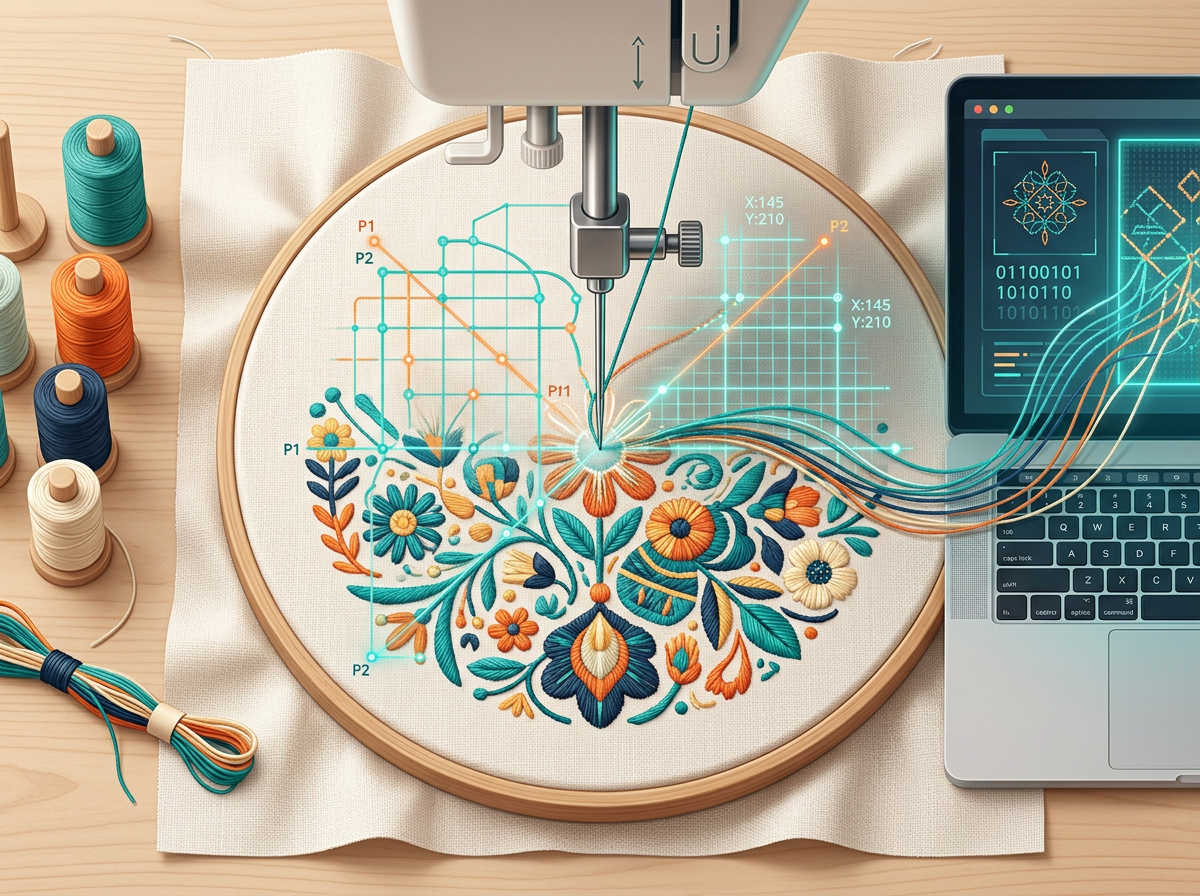
A DST file (short for Data Stitch Tajima) is a machine embroidery file format created by Tajima Industries, one of the world's leading manufacturers of commercial embroidery equipment. Rather than storing an image, a DST file stores a precise set of stitch instructions — the exact path an embroidery machine's needle follows to sew a design onto fabric.
Each stitch in a DST file is recorded as a compact 3-byte instruction containing:
- A horizontal movement offset
- A vertical movement offset
- A command flag — normal stitch, jump (move without stitching), color change, or stop
The coordinate system works in 0.1mm increments, with a maximum single-stitch length of 12.1mm in any direction. This binary structure is what makes DST files so small and efficient, even for designs with tens of thousands of stitches.
Why DST Is the Industry Standard
DST has become the de facto universal format in commercial embroidery. Because it was developed for Tajima's widely-used commercial machines, nearly every embroidery machine on the market — regardless of brand — can read a DST file. That makes it the safest format to send when you don't know exactly which machine will run the design.
What's Inside a DST File?
Beyond stitch coordinates, a DST file typically includes a header with design metadata such as:
- Design name and stitch count
- Design width and height
- Number of color changes
- Extents (the boundary box of the design)
Note that DST files do not store actual thread color names — just the points where the machine should stop for a color change. The operator (or software) matches those stops to real thread colors separately.
How to Open and View a DST File
Because DST files aren't images, your computer's default photo viewer won't open them. You have a few options:
1. Free Online Viewers (No Software Needed)
Several browser-based tools let you drag and drop a DST file and instantly preview the stitch layout, stitch count, dimensions, and color stops — some even offer a 3D "realistic stitch" preview. Many process files locally in your browser, so nothing is uploaded to a server. This is the fastest option if you just need to check a design before sending it to production.
2. Embroidery Digitizing Software
Professional tools such as Wilcom, Hatch, and Embird let you open, edit, and export DST files, and are the standard choice for digitizers who need to build or modify designs rather than just preview them.
3. Your Embroidery Machine
Most commercial and home embroidery machines can read DST files directly from a USB drive, no conversion required — one of the biggest reasons DST remains so popular.
How to Convert a DST File to Another Format
Sometimes you'll need a different format — PES for Brother machines, JEF for Janome, EXP for Melco, or VP3 for Husqvarna Viking. Free online converters can typically handle:
- DST ↔ PES, EXP, JEF, VP3, XXX, PEC, U01, and more
- DST to image formats like PNG or SVG for previews and mockups
- DST to data formats like JSON or CSV for technical inspection
When converting between machine formats, the core stitch pattern is preserved, though some format-specific features (like custom thread palettes) may not transfer perfectly. Always test-stitch an important design after converting it.
DST vs. Other Embroidery File Formats
| Format | Developer | Common Use |
|---|---|---|
| DST | Tajima | Universal / commercial machines |
| PES | Brother | Brother home embroidery machines |
| JEF | Janome | Janome machines |
| EXP | Melco | Melco/Bernina machines |
| VP3 | Husqvarna Viking | Husqvarna/Pfaff machines |
Frequently Asked Questions
Can I open a DST file without embroidery software?
Yes. Free online DST viewers let you preview the design, stitch count, and dimensions directly in your browser, with no installation required.
Will a DST file show me actual thread colors?
Not exactly. DST files mark where color changes happen, but the specific thread colors are usually assigned separately by the digitizer or matched manually against a thread chart.
Is DST better than PES?
Neither is objectively "better" — DST is the most universally compatible format across machine brands, while PES is optimized for Brother machines. Many digitizers deliver both.
Can I edit a DST file?
Yes, using digitizing software like Wilcom, Hatch, or Embird. Free online tools generally support viewing, converting, and basic operations like splitting a design, rather than full editing.
Final Thoughts
DST files are the backbone of the embroidery industry — small, efficient, and readable by nearly any machine. Whether you're previewing a client's design, converting between machine formats, or just trying to understand what landed in your inbox, you now know exactly what a DST file is and how to work with it.
Get Your Design Professionally Digitized
Whether you're stitching one logo or producing thousands of embroidered garments, professional digitizing is the key to achieving clean, consistent, and production-ready embroidery.
Let our experienced digitizers turn your artwork into a flawless embroidery file that stitches beautifully the first time.
Not sure what your design will cost? Send it over and we'll give you an accurate stitch count and quote before you commit.