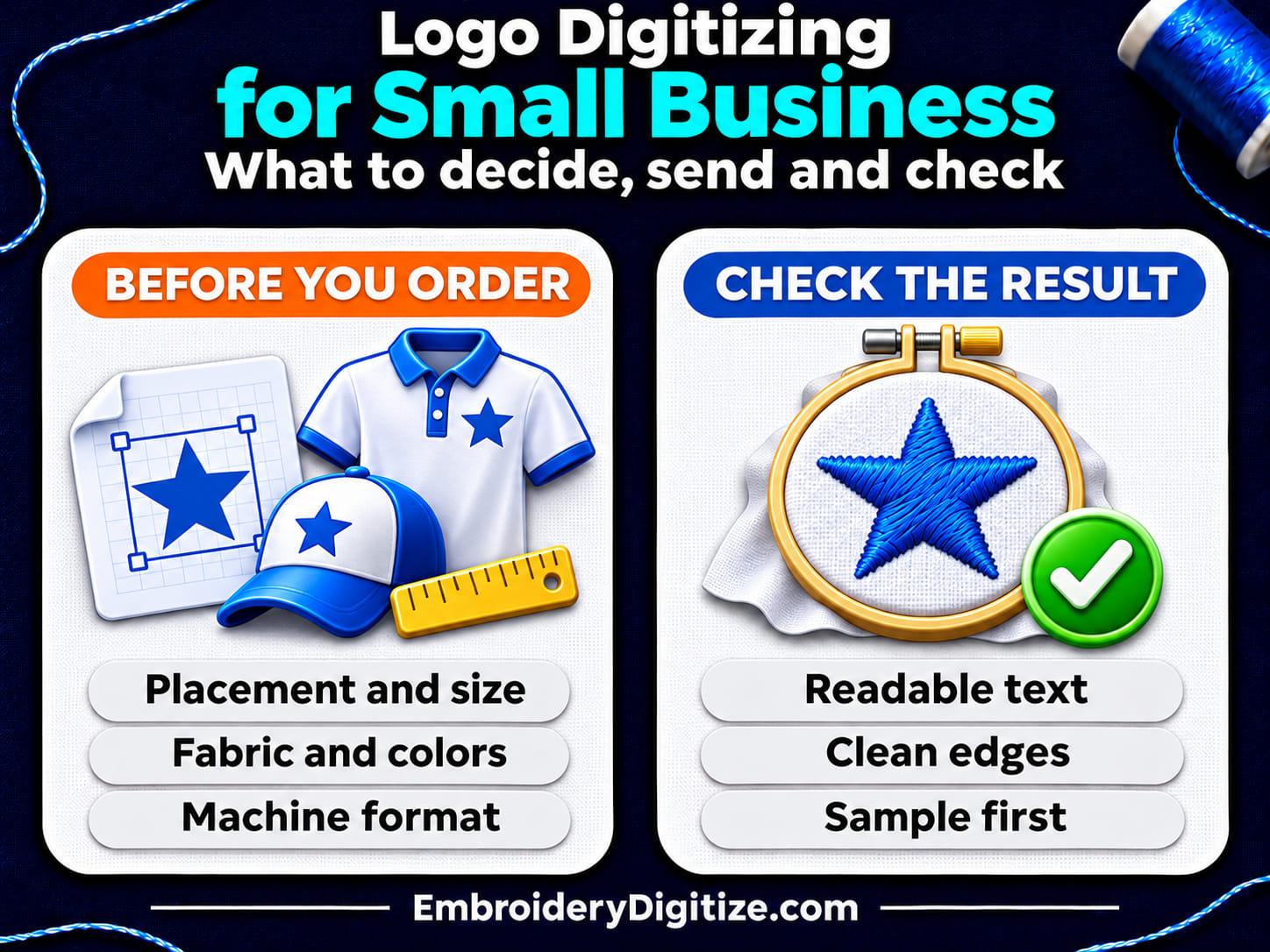
Quick answer: Logo digitizing turns your logo artwork into a stitch file your embroidery machine can sew. Before you order, decide where the logo goes, its finished size, the fabric and the machine format. Send clean vector artwork if you have it, keep small text bold, and check a proof or sample at real size before you approve the file.
If you run a small business, a digitized logo is what lets a machine stitch your name onto caps, polos, aprons and jackets. A shop may ask you for a "stitch file" or a "DST" and you may not be sure what to send. This guide explains what logo digitizing is, what to decide before you order, which artwork to send, which logo details cause trouble in thread, how to check the result, and how to keep the file for reuse.
The facts come from Wilcom and BERNINA software documentation and from the artwork guidelines that Printful and Stadium publish for their own embroidery orders. Shops set their own limits, so the numbers here are examples, not rules. We have not stitched a test logo for this guide. We also sell digitizing (see the end of this guide), so we kept the advice general and linked the sources.
What Is Logo Digitizing?
Logo digitizing is the step that turns logo artwork into stitch instructions for an embroidery machine. Someone, or some software, decides where each stitch goes, which stitch type fills each shape, and in what order the machine sews. Stadium's embroidery guidelines put it simply: "Digitizing is the process of converting your logo or artwork into a stitch file that embroidery machines can read." A JPG, PNG or vector file is artwork, so a machine cannot sew it directly. DST and PES are stitch files.
It is easy to mix up with three related things:
- File conversion changes a stitch file that already exists from one format to another, such as DST to PES. Our free embroidery format converter page says it converts files that are already digitized.
- Vector tracing redraws a logo as clean, scalable shapes. It is a good first step when your only copy is small or blurry, but the result is still a picture, not stitches. Our vector tracing page says it redraws a logo or image as a scalable vector file.
- Auto-digitizing is software that builds stitches from artwork for you. Wilcom's help says the quality of the result "greatly depends on the type and quality of the original artwork," and BERNINA's help says that when you auto-digitize an image, even artwork that "looks ready to stitch" must be image-processed first. Our guide to auto vs manual digitizing covers the trade-offs.
If you want the hands-on steps for digitizing a logo yourself, read our step-by-step guide to digitizing a logo. This guide is for the buyer's side: what to decide, what to send and what to check. If you are new to the idea, why you need embroidery digitizing explains why a machine cannot sew a JPG or PNG directly.
When Does a Small Business Need Logo Digitizing?
You need a digitized logo whenever an embroidery machine will sew your logo instead of the logo being printed. (Hand embroidery does not need a machine stitch file.) The usual cases are:
- You order embroidered caps, polos, jackets, aprons or bags, and the embroiderer asks for a stitch file.
- You own an embroidery machine and want to stitch your own logo.
- You sell embroidered products through a print-on-demand or merch provider that digitizes your artwork for you. Printful, for example, says it handles digitizing for its own machines and charges a one-time digitization fee for each new design. Stadium says its digitizers choose the stitch types for each design.
- You lost the original embroidery file, or you only have a machine file, and need a new one. Our embroidery file formats guide explains why keeping the editable original matters.
What Should I Decide Before Ordering Logo Digitizing?
A digitizer needs facts that your artwork file does not carry. Collect them first and the first version is more likely to be right.
| Decision | Why it matters | What to tell your digitizer |
|---|---|---|
| Where the logo goes | Stadium says embroidery results "vary significantly depending on placement, garment type, size, color, and design thickness," and that a design that works well on a hoodie may not work on a hat or polo. | The item and placement, such as left chest, cap front, sleeve or jacket back. A photo or mockup helps. |
| Finished width and height | Wilcom's artwork steps start by sizing the image "to the preferred dimensions for your target article." Stadium says each embroidery type and size needs its own digitized file. | The finished size you want. See our sizing and placement guide. |
| Garment and fabric | Stadium says lighter garments "tend to shift, pucker, or distort under the needle." Printful says high stitch counts on delicate fabrics can cause puckering. | The garment, the fabric if you know it, and whether it stretches. |
| Thread colors | Standard embroidery uses a limited range of thread colors. Stadium says it matches a design to the closest available thread, and that screen colors can differ from the stitched result. Printful also offers an unlimited-color option on select products for an additional fee. | Your brand colors, any thread brand or chart numbers you use, and which colors matter most. |
| Machine or shop format | Machines read specific formats, and a file in the wrong format will not load. | The machine model or the format the shop asks for. Our file formats guide has a table by machine brand. |
| Special style | Our digitizing page says some styles need a file built just for them. Stadium says 3D puff works best with bold, thick artwork. | Say if you want flat embroidery, 3D puff, applique or a patch. See our hat guide and patch guide. |
What Artwork Should I Send for Logo Digitizing?
Send the cleanest version of your logo that you have. Wilcom's help says "clean" images work best for both manual and automatic digitizing, meaning images with "a limited number of solid colors which in turn have well-defined outlines." Providers differ on the exact file types they prefer: Stadium asks for vector files, and Printful names PDF and PNG as the best choices. Ask which one your digitizer wants.
| Artwork | How useful | Notes |
|---|---|---|
| Vector file (AI, EPS, SVG, vector PDF) | Best | Wilcom says vector graphics "preserve the picture quality when resized," while bitmap images cause "pixelation and image degradation when enlarged or scaled down." Stadium lists "Provide vector files" among its best practices. A vector file is still artwork, not a stitch file. |
| High-resolution PNG with a transparent background | Good | Wilcom's guidelines for bitmap artwork that will be auto-digitized say to use 300 DPI images, avoid anti-aliasing, use PNG instead of JPG and use transparent backgrounds. Printful asks for a high-resolution PNG or PDF set to 300 DPI. |
| JPG | Usable, not ideal | Printful says JPGs do not support transparent backgrounds, which in its words "inflates stitch count and blurs detail." BERNINA's help calls JPG files "inherently more noisy." Our digitizing page says it accepts JPG files. |
| Photo of a sign, screenshot or small web logo | Last resort | Wilcom says to use 300 DPI images, "NOT low-res 96 DPI," and that digitizing "works least effectively with photographic images." A clean vector redraw is a safer start, but check it against the original. |
Along with the logo, send a photo or mockup of where it goes, the finished size, the garment, and the machine or format you need. Our embroidery digitizing page says you can add up to 5 files per design, "such as your logo and a photo of where it goes."
If your only copy of the logo is small or blurry, a clean vector redraw can help. Details that are missing from a blurry original may still need to be confirmed against the original design. Our vector tracing page says you can upload "even a small or low-resolution one." Our guide to converting an image to an embroidery file explains why a JPG or PNG cannot be turned into stitches by a simple file conversion.
Which Logo Details Cause Problems in Thread?
Stadium says, "Small, fine details are one of the biggest troublemakers in embroidery." What looks sharp on a screen can turn messy on fabric. The limits below come from Printful's and Stadium's guides. Other shops set different numbers, so ask for your digitizer's minimums.
| Logo detail | What can go wrong | What to do |
|---|---|---|
| Small text | Printful says to keep lettering at least 0.25 inch tall and 0.05 inch thick, and warns that letters that are too small become a simple run stitch that is often unreadable. Stadium says to avoid text smaller than 0.25 inch (6 to 7 mm) tall. | Make the text larger and bolder, or leave the tagline off the small version. |
| Thin lines | Printful says lines thinner than 0.05 inch force a single run stitch that can look thin or uneven. Stadium says to avoid lines thinner than 1 mm. | Thicken the line or drop it. |
| Gradients and shading | Printful says subtle patterns, distressed textures and gradients "do not translate into thread." Stadium says gradients often become visible steps or bands of color. | Use flat, solid colors, unless your provider offers a special color system. Printful, for example, lists an unlimited-color embroidery option on select products for an additional fee. |
| Tiny gaps between shapes | Stadium says that when gaps between elements are too small, thread tension and stitch density can close them. | Space shapes further apart. |
| Photos and textures | Wilcom says digitizing works least effectively with photographs. Stadium says photos must first be simplified into solid shapes and distinct color blocks. | Redraw them as a few bold, solid shapes. |
| Large filled backgrounds | Stadium says large filled areas significantly increase stitch counts. | Remove the background box unless the design needs it. |
| Many colors | In standard embroidery each color generally needs its own thread and a color change. Stadium lists "typically 1-6 colors" as a best practice. | Merge colors that are close to each other. |
Why Does Each Size and Placement Need Its Own File?
Stadium says, "Each embroidery type and size requires a separate digitized file." Our own logo guide notes that when artwork is reduced, thin lines can disappear, lettering can become unreadable and small gaps can close. So a logo digitized for a jacket back should not just be shrunk for a cap or a left-chest spot. Our sizing and placement guide and hat embroidery guide cover the common spots.
A simple logo kit for a small business (our suggestion, not a rule from any source):
- A master vector logo (AI, SVG or PDF), in full color and in one color.
- A simplified version for small sizes, if the tagline or fine detail will not stitch clearly.
- One approved digitized file for each size and placement you use, in the format your machine or shop needs.
- A photo of the approved stitched sample, with a note of the thread colors and fabric.
Who Should Digitize My Logo?
There are four common routes. None is best for everyone.
| Route | Good for | Watch for |
|---|---|---|
| Digitize it yourself in software | Owners who already embroider and want full control | Learning time. BERNINA's help says that when you auto-digitize an image, even artwork that looks ready to stitch needs image processing first. See our step-by-step guide and our guide to free embroidery digitizing software. |
| Use an auto-digitizing tool | Simple, bold logos and quick tests | Results depend on how clean the artwork is and may need manual adjustments. See auto vs manual digitizing. |
| Let your embroiderer or print-on-demand provider do it | Convenience, since digitizing is part of the order | Providers publish their own artwork rules. Stadium says a very similar graphic uploaded again "may not be digitized in the exact same way." Printful says it charges a fee for each new design (the amount depends on the placement), lists a separate fee for design adjustments, says a digitization can be reused "when the same digitized version applies," and says you cannot use your own digitized file. Ask whether you receive the file itself. |
| Order from a digitizing service (including ours) | A file prepared in the format your machine or shop needs | Check the formats, the revision policy and whether an editable design file is available. Our digitizing page lists DST, PES, EXP, JEF, VP3, XXX, HUS, PXF and EMB, and says revisions are free when you ask within 7 days of delivery and the change fits your original instructions. |
Our guide to in-house vs outsourced digitizing compares the two main approaches for a business, and our guide to embroidery digitizing services explains what to expect when you order.
How Do I Check a Digitized Logo Before I Approve It?
- Open it at real size. Use your digitizer's preview or a viewer. Our embroidery file viewer page says it shows a design's width, height, stitch count and thread colors, and lets you zoom in on small lettering.
- Read the smallest text. If you cannot read it on screen at the finished size, do not expect thread to improve it. Even if you can read it, a screen preview does not prove it will stitch clearly, so confirm small lettering with a sample.
- Compare it with your artwork. Look for letters or shapes that merged, vanished or moved.
- Play the stitch-out. The viewer page says playback draws the design in sewing order so you can spot long jumps and extra color changes.
- Check the colors. DST and EXP files do not store thread colors, so the viewer shows stand-in colors, per our viewer page. Confirm the thread list in writing.
- Confirm the format and size. The file must be a format your machine or shop reads, and it must fit the hoop.
- Stitch a sample on your fabric. A screen cannot show how thread and fabric behave together. Stadium says the stitched thread color may look slightly different from what you see on a screen, and Printful suggests a sample order to check thread color accuracy and item quality before you sell. A sample is the best way to see the physical result. Our terms of service say revisions must be requested within 7 days of delivery and do not apply where differences result from variations between on-screen previews and physical embroidery output, so check your provider's revision policy before you approve.
- Send specific feedback. Say what is wrong, where, at what size and on which fabric, and attach a photo.
What Affects the Cost of Logo Digitizing?
Providers price differently, so this guide gives no prices. In general, size, detail and stitch count drive the work: Stadium says large filled areas significantly increase stitch counts, and our stitch count guide explains how stitch count relates to price. Our cost guide covers the factors in more detail.
For a rough stitch count before you order, our stitch count and price estimator page says it uses AI to estimate the stitch count from your artwork and finished size. Treat that as an estimate, not a stitched result. Whoever you use, compare what is included: file formats, revisions, whether you can reuse the file for later orders, and whether each size or placement is charged separately.
How Do I Keep and Reuse My Digitized Logo?
- Keep the approved file. Printful says digitizing the same artwork twice "can produce slightly different results," and Stadium says a similar graphic may not be digitized the same way again. Re-sending the approved file is safer than re-sending the artwork.
- Keep the editable original, if you have one. Machine files are hard to edit well. Our file formats guide explains the difference.
- Name files clearly, for example "logo-left-chest.pes" and "logo-cap-front.dst."
- Record the details: finished size, fabric, thread colors, machine, and a photo of the approved sample.
- Re-digitize when something changes. A new logo, or a much bigger or smaller size, needs a new or adjusted file. Printful's help page lists resizing, repositioning and rotating as changes that may require digitizing again.
Is My Logo Ready to Send for Digitizing?
- ☐ I have a vector copy, or the largest, clearest image I can find.
- ☐ I know where the logo goes and the finished width and height.
- ☐ I know the garment and the fabric.
- ☐ I know the machine or the format the shop needs.
- ☐ The smallest text is large and bold enough for that size.
- ☐ Gradients, shadows and tiny details are removed, or I accept that they will be simplified.
- ☐ I have my brand colors and I know thread is a close match, not an exact one.
- ☐ I own the logo or have permission to use it.
Frequently Asked Questions
What is logo digitizing?
It is the process of converting a logo or artwork into a stitch file that an embroidery machine can read. The file tells the machine where to stitch, which stitch type to use and when to change thread.
What file should I send to have my logo digitized?
A vector file such as AI, EPS, SVG or a vector PDF is the best start, and a high-resolution PNG with a transparent background also works. Our digitizing page says it accepts PNG, JPG, PDF, AI, EPS, SVG, PSD and CDR files and that a clear, high-resolution image gives the best result.
Can I digitize a logo from a JPG or a screenshot?
Often as a starting point, but quality suffers. Wilcom's help says to use 300 DPI images and not low-resolution 96 DPI ones for auto-digitizing, so a larger, clearer file or a clean vector copy is a safer start. A vector redraw can help with a small image, but details missing from the original may still need to be confirmed.
How small can text be in an embroidered logo?
It depends on the shop and the font. Printful says to keep lettering at least 0.25 inch tall and 0.05 inch thick, and Stadium says to avoid text smaller than 0.25 inch (6 to 7 mm). Ask your digitizer for their minimum.
Do I need a separate digitized file for each garment?
Usually for each size and placement. Stadium says each embroidery type and size requires a separate digitized file, and a design that works on a hoodie may not work on a hat or polo.
Is logo digitizing a one-time cost?
It depends on the provider. Printful, for example, charges a fee for each new design, based on the placement, and says a digitization can be reused "when the same digitized version applies." Its help page adds that changes such as resizing or repositioning may require digitizing again. Other providers differ, so ask what a change or a new size costs and whether you receive the file.
Can embroidery match my exact brand colors?
Not always exactly, and no one can promise it. Standard embroidery uses a limited range of thread colors, and Stadium says it matches a design to the closest available thread and that screen colors can differ from the stitched result. If color matters, give your digitizer thread-brand codes if you have them, and check a sample.
How many colors can an embroidered logo have?
Fewer is easier. Stadium lists typically 1 to 6 colors as a best practice, and Printful's standard embroidery allows up to six solid colors per placement. Our logo guide notes that unnecessary color changes can increase production time.
What is the difference between logo digitizing and vector tracing?
Digitizing creates stitches for an embroidery machine. Vector tracing redraws a logo as clean, scalable shapes for printing, cutting or use as a master file. A vector file is not a stitch file.
Can I digitize my logo for free?
You can try free software, but most free tools only view, letter or convert files, as our free digitizing software guide explains. Our free converter and viewer do not digitize artwork.
How do I know if my digitized logo is good?
Check it at real size for readable text, clean edges, the right width and height, the right thread colors and the right format. For larger orders, stitch a sample on your fabric before you approve the file.
Can I digitize a logo that I did not create?
Only if you own it or have permission to use it, for example from the brand owner or the designer. This is general information, not legal advice.
Final Thoughts
Logo digitizing is less about software and more about the decisions around it: where the logo goes, how big it is, what it is sewn on and what the machine reads. Give your digitizer clean artwork and those facts, keep small text bold, and check the result at real size before you approve it.
Then keep the approved file and a photo of the sample, so your next order starts from something that already works.
Sources and Further Reading
Facts about artwork and digitizing come from the pages below, which we opened on November 17, 2026. The Wilcom and BERNINA help links are to specific software versions, and Printful's and Stadium's numbers are their own rules for their own orders, so check your digitizer's requirements. Wilcom, BERNINA, Printful and Stadium are names of their respective owners. EmbroideryDigitize is not affiliated with them, and the names appear only to show where each fact comes from.
- Digitizing with Bitmaps, Choosing suitable artwork and Loading & presetting artwork (Wilcom EmbroideryStudio 27 help).
- Preparing images for auto-digitizing (BERNINA Embroidery Software 9 help).
- How to design a logo for embroidery (Printful blog), What is embroidery digitization? and Can I use my own digitized file for embroidery? (Printful Help Center).
- Embroidery Guidelines (Stadium Help Center).
- Related on embroiderydigitize.com: our embroidery digitizing page, vector tracing page, format converter, file viewer, estimator, and the guides How to Digitize a Logo for Embroidery and How to Prepare Artwork for Embroidery on Printify.
Need a Logo or Image Digitized?
Turn your logo, artwork, or custom design into a production-ready embroidery file.
Create your free EmbroideryDigitize account and submit your artwork, required size, garment type, and preferred embroidery format, such as PES or DST.
Existing customer? Login here.
If you already have an embroidery file but need another machine format, use our Free Embroidery Format Converter to convert supported embroidery files online.