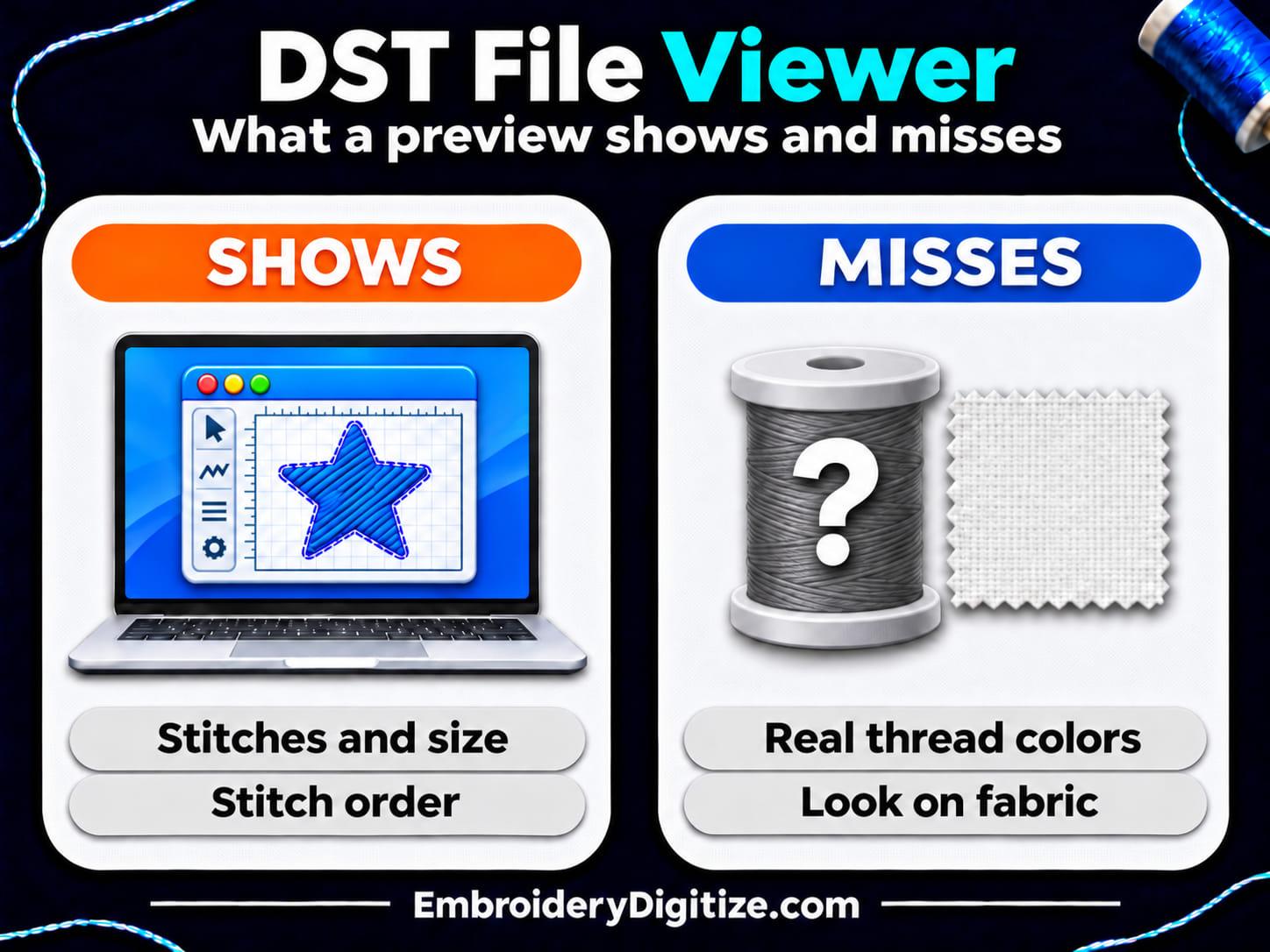
Quick answer: To open a DST file, use a browser-based embroidery viewer, such as our free one, or embroidery software such as Ink/Stitch. A viewer shows the stitch pattern, size, stitch count and color changes. DST files store no thread colors, so the colors shown are stand-ins. A preview does not replace a test stitch.
A DST file is not a normal picture file. It holds machine commands, not an image, so double-clicking it shows a design only if embroidery software is installed and set to open DST files. Otherwise your computer may offer the wrong program or none at all. Embroidery Library, a seller of embroidery designs, describes the problem in its help pages: a computer may "try to open an embroidery design in a non-embroidery program, such as Adobe Acrobat Reader." This guide covers the practical side of using a DST file viewer: ways to open a file, what a viewer shows and cannot show, a checklist to run before you stitch, and what to do when a file will not open. For what the format is and where it comes from, see our guide to what a DST file is.
The facts come from the vendors' own help and product pages (Wilcom, Embrilliance and Ink/Stitch), Embroidery Library's help pages, the EduTech Wiki and our own viewer page, all opened on November 20, 2026. We also tested our own browser viewer with one synthetic DST file on November 20, 2026. The test checked the size, stitch count, color blocks and jumps the viewer reported. It did not evaluate sewing accuracy, privacy, other file formats or third-party tools. We did not install or test the third-party programs, the list of tools is not complete, and vendors change their pages, so check the current page before you rely on a detail. EmbroideryDigitize makes the free viewer described here, and the last sections describe our tools and our service.
What Does a DST File Viewer Do?
A DST file stores a design as a list of machine commands. The EduTech Wiki says DST files "contain only stitch commands for the embroidery machines" plus a label, and that they "do not contain colors," "do not contain vectors" and "do not contain thumbnails." The wiki marks that page "to finalize," so read it as a reference, not a standard. Because the file holds no picture, a DST viewer (some people search for a DST reader) has to draw one from the commands. It reads them, draws the stitches and reports numbers such as the size and the stitch count.
Wilcom's help describes the same split between files for editing and files for machines. It says machine files "contain the stitch coordinates, color changes, and machine commands required to stitch a design, but they generally do not include the original design objects or editing information." A DST fits that description, which is why a viewer can draw the stitch path stored in the file but cannot show how the artwork was built, or fully predict how the design will sew on your machine and fabric.
How Do You Open a DST File?
The table lists what each tool's own page says about DST files or about viewing designs. We did not install or test the third-party programs.
| Way to open it | What its own page says | Things to check |
|---|---|---|
| Our free browser viewer | Our viewer page says "Drop the file onto the viewer above, or click it to choose a file." You do not need "any embroidery software or an account," and the page lists a limit of "up to 10 MB." Our test below shows what it displayed for one synthetic DST file. | The page says your file "is read on our server" and the temporary copy "is deleted straight away." DST colors are stand-ins (see below). |
| Ink/Stitch (free, open-source) | Its file formats page lists DST under both writing and reading. Its import page says to open an embroidery file "as you would open any SVG file in Inkscape," and that it opens "in Manual Stitch Mode," where "You can edit individual points and finetune your design." Its home page calls it a platform "based on Inkscape." | It is design software, not a one-click viewer. You install Inkscape and Ink/Stitch and learn a larger program. See our guides to free embroidery digitizing software and embroidery digitizing software for Mac. |
| Wilcom Truesizer (WilcomWorkspace) | Wilcom's help lists DST ("Tajima") as a format Truesizer can read and write and says you can "View stitch sequence and color changes." It says Truesizer works "from a web browser" and is "available as a standalone application or as part of a Wilcom Library subscription." | Wilcom's product page lists a 14-day free trial and an annual subscription, while a Library FAQ on the same page says every Library licence "includes a Truesizer licence at no extra cost" and calls Truesizer "Wilcom's free embroidery design viewing and resizing tool." That FAQ also says "Truesizer is a separate Windows application," while Wilcom's help says it works "from a web browser." Check Wilcom's current access terms and how it runs before you choose it. |
| Embrilliance Essentials (paid, Mac and Windows) | Its page lists .DST among the "Embroidery file types Essentials can read" and asks, "Do you have a DST file without colors and want to see what it looks like in color and save a new file?" It says it "Runs natively on your preferred platform!" and lists Mac and Windows versions. | It is sold with a serial number you receive after purchase, so it is a paid program. It is a design tool for resizing, coloring and lettering more than a viewer. |
Embroidery Library's help adds a reminder: in most cases "you don't need to open a design in embroidery software on your computer to use it," because you can transfer the design to your machine. A viewer is for when you want to check a file first. Other browser-based and desktop viewers exist and we did not test them. When you compare any viewer, check what its page says about four things: which formats it reads, whether it uploads your file, how large a file it accepts and whether the free version stays free.
How Do You View a DST File in Your Browser, Step by Step?
These steps use our own viewer, so they follow what its page says. Other viewers differ in the details.
- Check that the file is a loose DST file. If it came in a ZIP folder, extract it first, because our viewer reads a single file. Embroidery Library's help says "Embroidery machines cannot read zipped files. Most embroidery software cannot open zipped files either."
- Open the viewer and add your file. Go to our embroidery file viewer and drop the file onto it, or click to choose it. Keep the file under the 10 MB limit. The file is read on our server, so see the privacy question below before you upload a client's design.
- Read the summary. The page says it shows "Width and height in millimetres and inches, the stitch count, thread colors, jumps and trims at a glance."
- Inspect the stitches. The page says you can "Zoom in on the stitches, switch the background, hide colors and play the stitch-out." After a file loads, the viewer also has a "Show jumps" checkbox.
- Save what you need. You can download a PNG picture or convert the file to another machine format, as described below.
Why Did Our Test DST Show 60 Stitches When the Header Said 64?
In our test on November 20, 2026, the file's header field said 64 and our viewer showed 60 stitches, 2 jumps, 0 trims and 2 color blocks. We made the test file with a script, so it is not a real design. It is a 20 mm square with a 10 mm square inside it: 60 stitch records, 2 jump records and 1 color change record. We set the header's stitch-count field to 64: the 60 stitches, 2 jumps, 1 color change and 1 end record. The EduTech Wiki describes that field as a total that includes color changes, jumps and special records, but whether a given program also counts the end record can differ. We opened the file in our viewer and did not stitch it on a machine.
| Item | What the file holds | What the viewer showed |
|---|---|---|
| Size | A square 20 mm wide and 20 mm high | 20.0 mm × 20.0 mm (0.79 in × 0.79 in) |
| Stitch count | Header field: 64 (60 stitches, 2 jumps, 1 color change, 1 end record) | Stitches: 60 |
| Colors | One color change record, so two color blocks. No thread colors. | Thread colors: 2, listed as "Color 1" (40 stitches) and "Color 2" (20 stitches), with the note ".DST files don't store thread colors, so these are stand-ins. Your machine uses the thread you load." |
| Jumps and trims | 2 jump records, no trim | Jumps / trims: 2 / 0 |
The number to notice is the stitch count. The header of the same file says 64 and the viewer showed 60, which matches the number of stitch records and leaves out the jumps, the color change and the end record. The two numbers answer different questions. When you compare a stitch count from a quote, a program and a machine screen, ask what each one counts. This was one synthetic file in one viewer, so other viewers may count differently. Our guide to stitch count and price explains why the number matters when you order digitizing.
What Can a DST Preview Show, and What Can't It?
A preview is drawn from the commands in the file, so it is good at some questions and blind to others.
| What you want to know | Can a DST preview show it? | Why |
|---|---|---|
| Stitch shapes and order | Yes | The commands are in the file. Our viewer page says the play button draws the design "stitch by stitch in sewing order." |
| Size | Yes | A viewer can measure the stitches. The file's header also holds the design's extents, which the EduTech Wiki says some machines use "to calculate whether it fits in the hoop." |
| Number of color stops | Yes | The header holds "the number of color change records in the file," according to the EduTech Wiki. |
| Real thread colors | No | A DST stores none. See the section on colors below. |
| Trims | Partly | The EduTech Wiki's list of DST control codes has stitch, jump, color change and sequin modes, with no separate trim code. It says a trim "is assumed to exist after a set number of jump commands in a row," often 3 and as high as 5. A viewer can show the jumps, but whether they trigger a trim depends on the machine or software. |
| How it will look on your fabric | No | A preview is not a stitch-out. Our terms of service say revisions do not apply to differences from "variations between on-screen previews and physical embroidery output." |
What Should You Check in a DST File Before You Stitch It?
Run these checks in a viewer before you load the file on a machine or send it on.
| Check | How | What to look for |
|---|---|---|
| Size | Read the width and height | Compare them with your hoop and your planned placement. Our sizing and placement guide covers common placements. |
| Stitch count | Read the count | Compare it with your quote or estimate, and ask which count it is (see the test above). |
| Color blocks | Count the color blocks or stops | Compare the number with the thread sequence you expect. Several blocks can use the same thread, and the file does not say which colors. The EduTech Wiki says "STOP and COLOR_CHANGE are the same command," so a block can also mark a stop. |
| Stitch order | Play the stitch-out | Look for "long jumps, extra color changes or a sequence that will cause trouble," the problems our viewer page names. |
| Jumps and trims | Switch on "Show jumps" | Many jumps in a row may be read as a trim, so check how your machine handles them. |
| Small details | Zoom in on small text and thin lines | Our page says you can "check fills, satin columns and small lettering up close." Lettering that looks broken up on screen is a warning sign. |
| The extension | Look at the file name | Wilcom's format list shows DSB ("Tajima (Barudan)"), DST ("Tajima") and DSZ ("Tajima ZSK machine format") as separate formats. Make sure your machine reads the one you have. |
If the size is wrong, do not simply scale a DST. Wilcom's help says "Scaling a machine file changes the stitch density because the number of stitches remains fixed." One Wilcom page says to avoid resizing machine files by more than 5% either way, and another says to avoid resizing stitch-only machine files by more than about 10% either way. The two pages differ, so treat both as rough limits and ask for a resized or re-digitized file for bigger changes. A preview cannot replace a test either: before a production run, stitch a sample on the fabric you plan to use.
Why Are the Colors in My DST Viewer Wrong?
The colors on screen may not match your thread because thread colors are not in the file. A DST records where the machine should stop for a color change, not which thread to use, so a viewer assigns placeholder colors to tell the sections apart. Three sources say the same thing in their own words:
- The EduTech Wiki: "DST files do not contain colors."
- Embrilliance's FAQ says you cannot colorize a file perfectly in some formats like .jef "and not at all in .dst or .exp."
- Our viewer page says "Some formats, such as DST and EXP, don't store thread colors, so the viewer shows stand-in colors."
Real colors have to come from whoever made the file. Embroidery Library tells its customers that each embroidery format has "its own, differently sized palette (or none at all)," and to follow its color change sheet instead of the colors on screen. Ask the digitizer or seller for a color list or thread chart. Some programs let you assign colors to a DST on screen. Embrilliance's Essentials page describes doing that for "a DST file without colors," and its FAQ says "you save in the working file (.be) which can save your colors," because formats like .dst keep none. The colors are not stored in the DST itself, and your machine sews with the thread you load, whatever the screen shows.
Why Won't My DST File Open?
If a DST file will not open, work down this list.
| Cause | What to try | Where it comes from |
|---|---|---|
| The file is still in a ZIP folder | Extract it to a normal folder, then open it. If you see a "Path is too long" error, copy the file out of the zip folder first. Some programs can read inside a ZIP: Embrilliance's Essentials page says its merge tool works with designs "even while they are in .ZIP files." | Embroidery Library's help describes that error for files opened from inside a zip folder, and says most embroidery software cannot open zipped files. |
| Your computer opens it in the wrong program | Open your embroidery program or viewer first, then use File > Open, or set the file type to open with that program. | Embroidery Library's help describes both routes. |
| It is a related format, not DST | Check the extension. Ink/Stitch and Wilcom list DSB, DST and DSZ separately, and Embrilliance's read list shows .DST and .DSZ but no .DSB, so one tool may read a file that another cannot. | The Ink/Stitch, Wilcom and Embrilliance format lists. |
| The file is bigger than the viewer allows | Our viewer lists a limit of 10 MB. Check the limit of any other viewer you use. | Our viewer page. |
| The download is incomplete or damaged | Download it again or ask the sender for a new copy. | Our suggestion, not a vendor statement. |
How Do You Turn a DST File Into a Picture or Another Format?
You can save a picture of a DST file, but the picture is only a preview. It does not hold the stitch commands, so it cannot give you the same stitch file back.
- A PNG from our viewer. Our page says "Click Download PNG image to save a high-resolution picture of the design, with a transparent background if you like." In our test the viewer showed a "Download PNG image" button and a "Transparent background" box.
- A PNG, SVG or PDF view from Ink/Stitch. Its file formats page lists PNG and SVG among the formats it writes and says you can "export a detailed PDF-View of your design."
- Another stitch format. In our viewer you can pick one of "DST, PES, JEF, EXP, VP3, XXX, PEC, U01 or TBF" under Download, and our free embroidery format converter handles other formats. Test-stitch after converting, because Wilcom's help says "Not all embroidery file formats support the same design features."
Going from a picture to stitches takes digitizing. A PNG or JPG cannot be turned into a stitch file by renaming or converting it like a normal file; the stitches have to be created, by software or by a person. Our guide to converting an image to an embroidery file explains the real options.
When Should You Stop Viewing and Get the Design Fixed?
A viewer shows problems but does not fix them. If the preview shows the wrong size, a color count that does not match your artwork, long jumps or small text that has broken up, you have three options: ask the seller or digitizer for a corrected file, resize or edit the file in embroidery software within the limits above, or have the artwork digitized again. If you are weighing software against a service, our guides to free embroidery digitizing software and logo digitizing for small business go through what to expect from each. Our viewer page says "The viewer is for looking at and converting files," and our embroidery digitizing page describes the service for resizing, editing or re-digitizing.
Frequently Asked Questions
What is the best free DST file viewer?
For a quick, free preview in a browser, our viewer is one option. Ink/Stitch is a free option if you also want to edit stitches: its home page describes a platform "based entirely on free, open-source software." Wilcom's Truesizer and Embrilliance Essentials are described on their pages with a trial or a purchase. We tested only our own viewer, so we cannot rank these tools by accuracy or reliability.
Can I open a DST file without embroidery software?
Yes. Drop it into a browser-based viewer. Our viewer page says you do not need "any embroidery software or an account." If the file is inside a ZIP folder, extract it first.
Can I open a DST file on a Mac or a phone?
Our viewer page says it works "in any modern browser on phones, tablets and computers," with pinch to zoom on a touch screen. For programs that install on a Mac, see our guide to embroidery digitizing software for Mac.
Is it safe to upload a DST file to an online viewer?
That depends on the viewer, so read its privacy statement first, especially for a client's file or a licensed design. Our viewer page says "Your file is read on our server to get its stitches, and that temporary copy is deleted straight away. We don't keep, look at or share your designs." So the file does reach our server briefly. Our test checked what the viewer displays. It was not a privacy or security audit. For any viewer, check whether it uploads your file, whether it keeps a copy, what size limit it sets and whether it needs an account.
Can I view PES, JEF and other embroidery files the same way?
Yes, if the viewer reads them. Our viewer page lists PES, JEF, EXP, VP3 and more, Wilcom's Truesizer list marks PES, JEF, EXP and VP3 as readable, and Ink/Stitch's reading list includes them too. For PES files, see our guide to what a PES file is. For how the common formats compare, see PES vs DST vs JEF and our embroidery file formats guide.
Why does the stitch count differ between programs?
Programs can count different things. A DST header's stitch field can include jumps, color changes and special records, while a viewer may count only sewn stitches. In our synthetic test the header field read 64 and our viewer showed 60 stitches. Ask which count a number refers to before you compare it with a quote.
What do jumps and trims mean in a viewer?
A jump moves the needle to a new position without sewing. The EduTech Wiki describes a DST trim as a run of jump commands rather than a dedicated code: a trim "is assumed to exist after a set number of jump commands in a row," often 3 and up to 5. Whether those jumps trigger a trim depends on the machine or software. Our viewer reported 2 / 0 for our test file, which had two jumps and no run of jumps.
Can I edit a DST file?
Yes, with limits. Wilcom's help says "Machine files are intended for production rather than editing." Ink/Stitch opens a DST in Manual Stitch Mode, where you can edit individual points. For a large change, a re-digitized file is usually safer than scaling the one you have.
Can I turn a PNG or JPG into a DST file?
Not by opening it in a viewer or by renaming it. An image has to be digitized, which means the stitches are created by software or by a person. Our guide to converting an image to an embroidery file covers the three real ways.
Do I need to open a DST file before I stitch it?
Not always. Embroidery Library's help says in most cases "you don't need to open a design in embroidery software on your computer to use it," and you can transfer it to your machine. A preview is still worth a minute when the file came from an unknown source or when the size or color count matters.
Final Thoughts
A DST viewer shows the stitch path, size and stitch order stored in a file. It can draw the stitches, measure the size, count the color blocks and play back the order. It cannot tell you the real thread colors, how the design will sit on your fabric or how good the finished embroidery will be. Use it as a quick check before you stitch or send a file, then sew a sample on the fabric you plan to use.
Our small test is a reminder to ask what a number counts: one file read 64 in its header and 60 in the viewer. If a preview shows problems, a corrected or re-digitized file is usually safer than scaling the one you have. Our guide to what embroidery digitizing is explains what that work involves.
Sources and Further Reading
Facts about DST files and viewers come from the pages below, which we opened on November 20, 2026, and from one small test of our own viewer. This guide is a documentation-based explainer, not a test of other viewers or programs. Format details, trial terms and prices can change, so check each page before you rely on it. Ink/Stitch, Wilcom, Embrilliance, Embroidery Library, Adobe and EduTech Wiki are names of their respective owners. EmbroideryDigitize is not affiliated with them, and the names appear only to show where each fact comes from.
- Embroidery format DST (EduTech Wiki, which marks the page "to finalize").
- Ink/Stitch: home page, File Formats and Import and Export Files.
- Wilcom help: About Truesizer, Open embroidery designs, Supported file formats and Understanding embroidery files, plus Wilcom's WilcomWorkspace Truesizer product page.
- Embrilliance: Embrilliance Essentials and FAQ.
- Embroidery Library help: Unzip embroidery design folders, Open designs in embroidery software and Fix strange design colors.
- Related on embroiderydigitize.com: our file viewer, format converter and its guide, Terms of Service, embroidery digitizing page and the guide to embroidery digitizing services.
Need a Logo or Image Digitized?
Turn your logo, artwork, or custom design into a production-ready embroidery file.
Create your free EmbroideryDigitize account and submit your artwork, required size, garment type, and preferred embroidery format, such as PES or DST.
Existing customer? Login here.
If you already have an embroidery file but need another machine format, use our Free Embroidery Format Converter to convert supported embroidery files online.